Learning to code
Scenario 6 - Variables
Operational Goals
- Understanding the construction of variables and the ability to define and use them in code
Introduction to the Topic
A variable block is a kind of "box" in which we can store a value, and then refer to it in the code when we need it.
Task
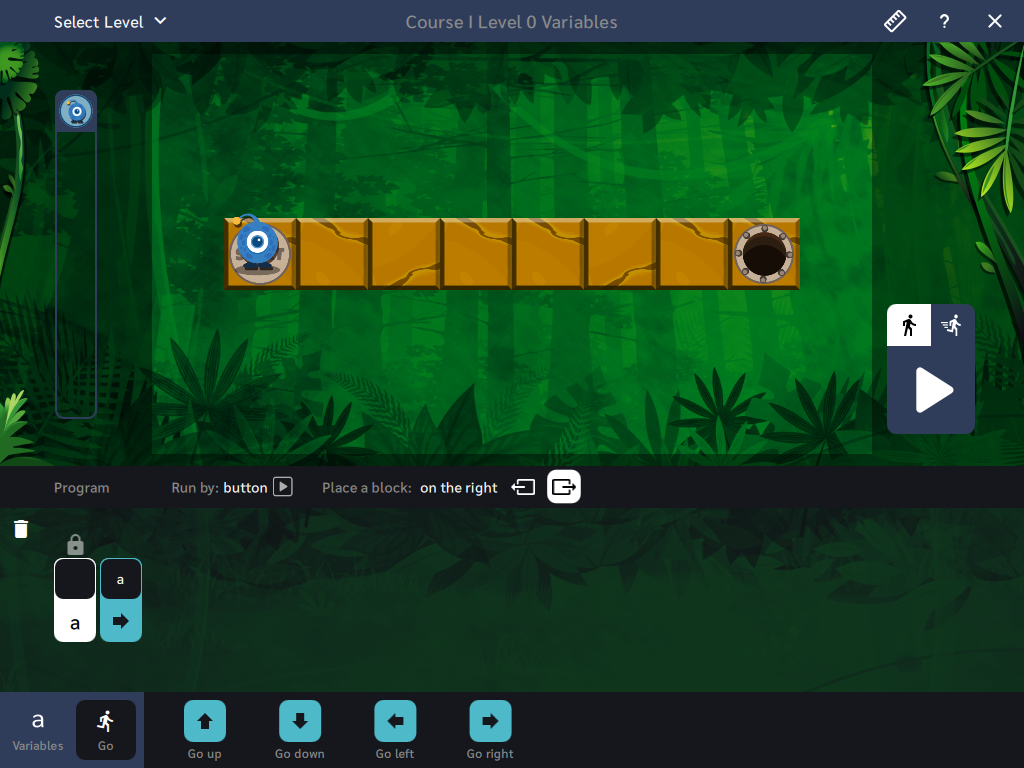
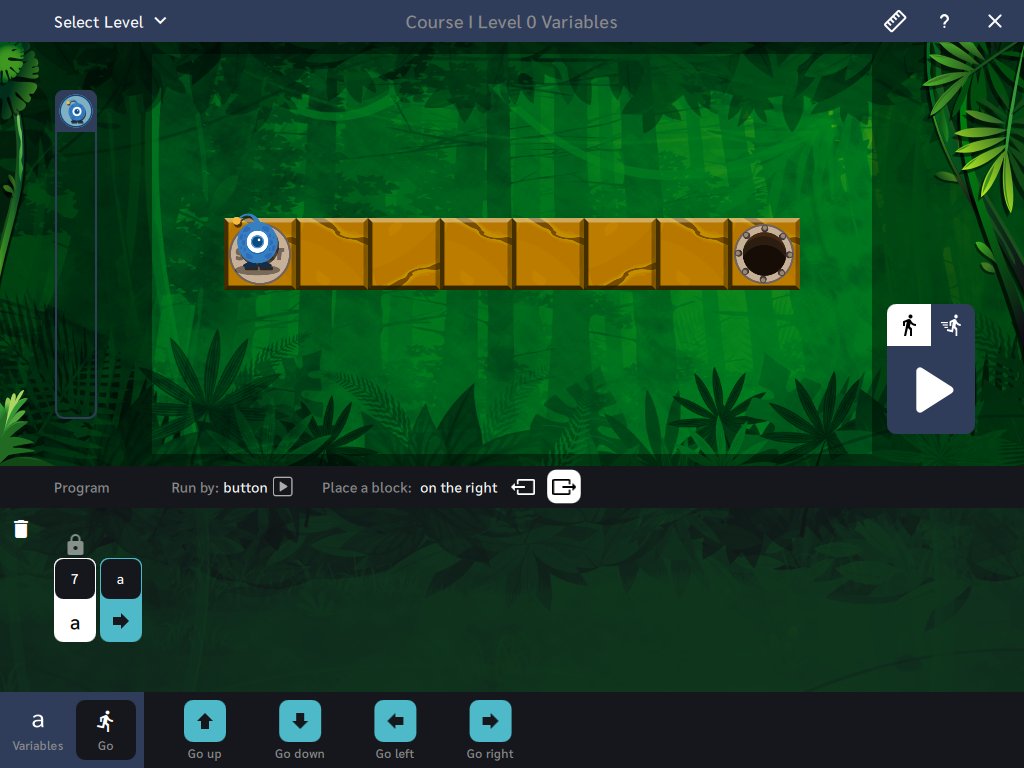
Command: Arrange the code from blocks, set the appropriate step values, and lead Kodi to the finish. Remember to apply the variable block "a" to determine the number of steps that Kodi must take.
Course I, Variables - Level 0 - Introduction to variables. Navigating using variables as a counter
Course I, Variables - Level 0 - Board solution
Task
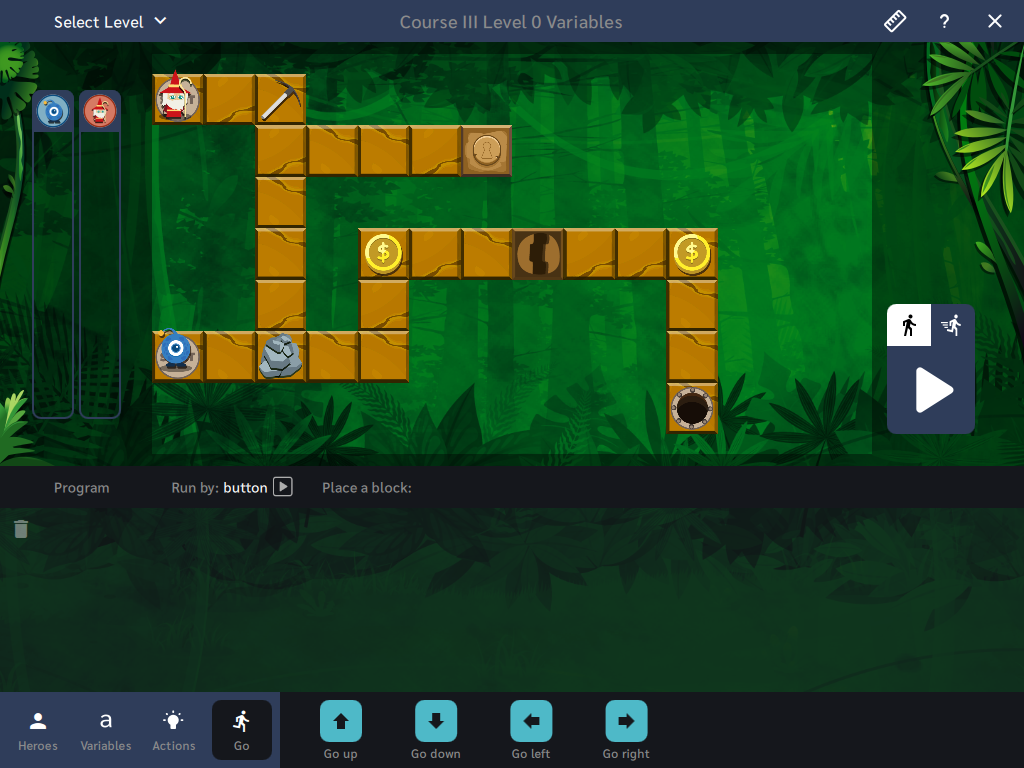
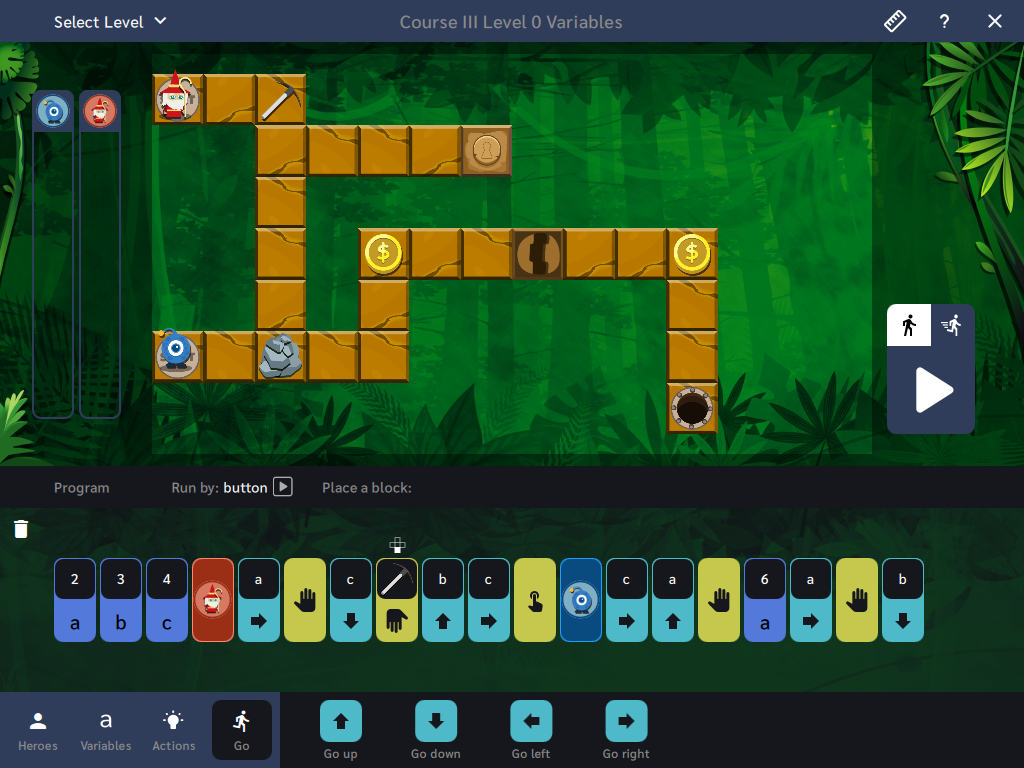
Command: Arrange the code from blocks, set the appropriate step values, and lead Kodi to the finish. To open passages, the Elf on the board must first press the appropriate button and break the rocks blocking the way. Arrange a sequence containing instructions to be executed by each character. Also remember to apply variable blocks.
Course III, Variables - Level 0 - Repetition of the concept of variables.
Course III, Variables - Level 0 - Board solution
Manage Consents
Control which external services can process your data.
Essential Required
These features are essential for the proper functioning of the website and cannot be disabled.
Anonymous Analytics Required
Required for collecting aggregated statistics that help us understand how users interact with our site. Data is fully anonymous, contains no personal information, and we do not use cookies.
Extended Analytics
Allows analyzing traffic sources (where you came from), marketing campaign parameters (UTM), and navigation paths across subdomains. We use a cookie (7 days) to preserve this data.
External Media
Allows loading content from external services like YouTube or Vimeo.
