Motioncube for application designers
Step II - Changing the graphics and parameters in the template
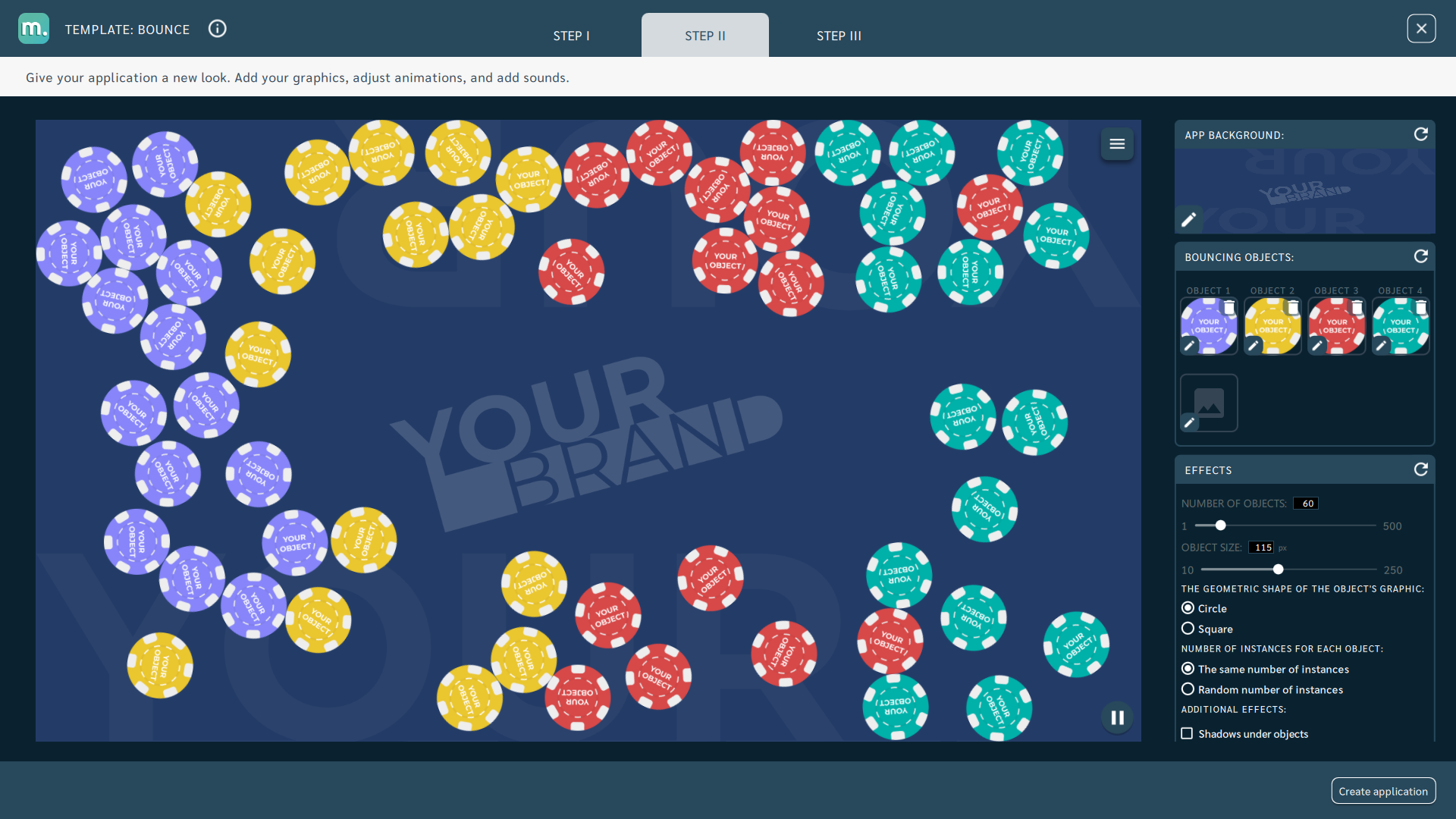
In the STEP II tab, you can change the default graphics to other ones and adjust the available operating parameters of the application.
Information
A detailed description of the parameters can be found on the following pages of the documentation in the description of each template.App Background
- Graphic file
- Recommended resolution: 1920x1080px, 1280x800px, 1024x768px (depending on device screen resolution)
- Recommended image file format: png (transparent background)
- Recommended file size: max 5mb

Video file
- Recommended resolution: 1920x1080px, 1024x768px (depending on the screen resolution of the device)
- Recommended file format: MP4 / H264 should be rendered according to resolution
- Recommended file size: max 25mb
- Additional information: Instead of an image, you can use a video file as a background for your application. Files should be rendered according to device screen resolution and aspect ratio.
Audio file
- Recommended file format: MP3
- Recommended file size: max 10mb
- Additional information: You can add a sound file to any application based on the Motioncube template, which will automatically play when you play with the application.
Objects
Some templates have movable interactive objects that you can configure. By clicking on the object in the configuration panel, a window will be displayed in which you can specify not only the file type, but also additional parameters.
Description of possible parameters (they will vary depending on the template):
Images
- Height and Width - regardless of the size of the graphic, you can specify the size of the displayed object; enter the values in pixels.
- Fixed size or variable - specify whether the adopted size is to be constant for subsequent graphic objects.
- Assigned sound - you can attach a sound file for a given object, which will be played when interacting with the object.
- Colour - set the colour that will appear as a result of interaction with the object.
Sprites
For most objects in templates, we also support horizontal spritesheets format. Without the ability to specify the starting point for the first animation frame.
Supported properties:
- Height and Width - height and width of the rendered object visible in the application - limited to 1080px.
- Frame duration - duration of a single Sprite animation frame.
- Frame count - number of frames to be included in the animation.
- Frame height - height of a single frame - limited to 1080px.
- Frame width - width of a single frame - limited to 1080px.
No restrictions on the total resolution of the spritesheet, but as you can see, frames are limited to 1080px.
Example of spritesheets:

Below is an instructional video for editing an object using Sprite animation:
Motioncube Player: Sprite sheet - how to use in App template?
Watch directly on YouTubeManage Consents
Control which external services can process your data.
Essential Required
These features are essential for the proper functioning of the website and cannot be disabled.
Anonymous Analytics Required
Required for collecting aggregated statistics that help us understand how users interact with our site. Data is fully anonymous, contains no personal information, and we do not use cookies.
Extended Analytics
Allows analyzing traffic sources (where you came from), marketing campaign parameters (UTM), and navigation paths across subdomains. We use a cookie (7 days) to preserve this data.
External Media
Allows loading content from external services like YouTube or Vimeo.
